
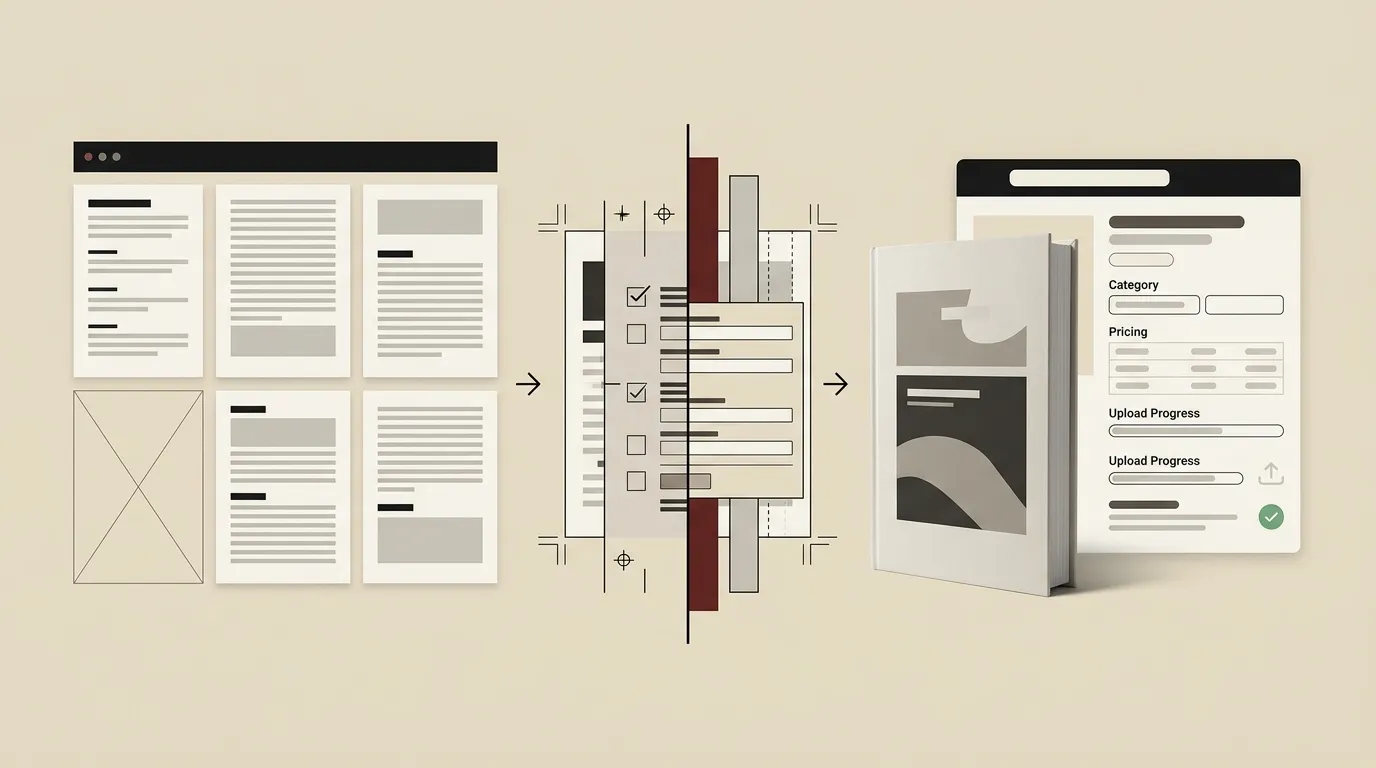
Writing a book is a significant accomplishment, but completing the manuscript is only one part of becoming a published author. The next challenge is transforming that manuscript into a professional book that readers can discover, purchase, and enjoy.
Amazon Kindle Direct Publishing, commonly known as Amazon KDP, allows authors to publish Kindle ebooks, paperbacks, and hardcover books directly on Amazon without submitting their manuscript to a traditional publishing company. Creating and publishing a title through KDP is free, although authors may still invest in professional editing, cover design, formatting, marketing, ISBNs, and proof copies.
The platform gives authors control over important publishing decisions such as the book title, description, author name, categories, keywords, pricing, territories, and release format. However, self-publishing successfully requires more than uploading a Word document and selecting the Publish button.
Your manuscript, cover, metadata, formatting, pricing, and final preview all need careful attention.
This guide explains how to self-publish a book on Amazon KDP, from preparing your manuscript to reviewing your final listing.
What Is Amazon KDP?
Amazon KDP is Amazon’s self-publishing platform for authors and publishers.
Through one KDP account, you can prepare and publish formats such as:
- Kindle ebooks
- Paperback books
- Hardcover books
KDP uses print-on-demand production for print books. This means copies can be printed when customers order them, so authors do not necessarily need to purchase inventory or pay printing costs in advance. Printing costs are deducted when royalties are calculated for print sales.
KDP also provides tools for entering book information, uploading manuscript and cover files, previewing the finished book, selecting publishing rights, setting prices, and reviewing book status after submission.
Although the platform makes publishing accessible, the author remains responsible for the quality, accuracy, ownership, presentation, and marketing of the book.
Decide Which Book Formats You Want to Publish
Before beginning the KDP setup process, decide which formats you want to offer.
You may publish only a Kindle ebook, only a paperback, or multiple formats of the same title. Each format has different file, cover, pricing, and identification requirements.
Kindle Ebook
A Kindle ebook is designed for electronic reading on Kindle devices and compatible applications. Its text is generally reflowable, meaning readers can adjust elements such as font size and screen orientation.
An ebook can be convenient for readers and does not require printing or physical shipping.
Paperback
A paperback requires a print-ready interior file and a full wraparound cover that may include the front, spine, and back.
The final cover measurements depend on factors such as trim size, page count, paper type, and interior ink selection.
Hardcover
KDP also supports hardcover publishing in eligible markets. Like a paperback, it requires print-ready interior and cover files prepared to the applicable specifications.
Authors publishing multiple formats should maintain consistent titles, author names, descriptions, and branding across their listings.
Complete Your Manuscript Before Uploading
Do not treat KDP as a writing or editing platform.
Your manuscript should be complete, professionally reviewed, and approved before you upload the final version. Publishing a book with weak organization, inconsistent formatting, visible errors, or unfinished chapters can damage reader confidence.
Before uploading, review:
- The book title and subtitle
- Author or pen name
- Copyright page
- Table of contents
- Chapter order
- Headings and subheadings
- Grammar and punctuation
- Page breaks
- Image quality
- Quotations and references
- Links in the ebook
- Final acknowledgments
- Author biography
- Calls to action
- Other books or services mentioned
A strong editorial workflow may include developmental editing, line editing, copyediting, and final proofreading. The right combination depends on the condition and complexity of the manuscript.
You can review the available book editing, formatting, and publishing services when professional support is needed before submission.
Format the Manuscript for the Selected Format
Ebook and print formatting are not identical.
An ebook should adapt to different screen sizes and reader settings. A print book must use fixed dimensions, margins, page numbering, and print-safe layout choices.
Ebook Formatting
A professionally formatted ebook should include:
- Clear chapter headings
- Consistent paragraph styles
- Functional navigation
- A linked table of contents where appropriate
- Properly sized images
- Clean page and section breaks
- Working external links
- No unnecessary blank pages
- Consistent emphasis and alignment
KDP provides an ebook manuscript formatting guide, while its Online Previewer can display how an uploaded ebook may appear on tablets, phones, and Kindle e-readers.
Print Formatting
A paperback or hardcover interior should account for:
- Trim size
- Inside and outside margins
- Gutter space
- Bleed
- Page numbers
- Headers and footers
- Chapter-opening pages
- Image resolution
- Blank-page placement
- Print-safe typography
KDP provides print manuscript templates and guidance for setting trim size, bleed, and margins.
A manuscript that looks correct in a standard word processor may not automatically be ready for professional printing. Always inspect the uploaded file through the KDP preview tools.
Create a Professional Book Cover
Your book cover is one of the first elements potential readers notice.
A professional cover should communicate the genre, audience, tone, and subject of the book while remaining easy to understand at thumbnail size.
An effective cover normally needs:
- A readable title
- A clear author name
- Strong visual hierarchy
- Genre-appropriate imagery
- Balanced spacing
- Professional typography
- Appropriate contrast
- Correct technical dimensions
For a Kindle ebook, the uploaded cover is generally a front-cover image.
For a print book, the file may need to include the back cover, spine, and front cover in one complete layout. The exact spine width depends on the final page count and other production settings.
KDP provides Cover Creator as well as a Print Cover Calculator and downloadable templates. The calculator uses details such as binding type, interior type, paper, trim size, and page count to determine the required cover dimensions.
Do not finalize the print cover before the interior page count is stable. A change in page count may change the required spine width.
Create or Sign In to Your KDP Account
To publish, you need a KDP account connected to an Amazon account.
During account setup, you may be required to provide information needed for identity, tax, payment, and royalty purposes. Make sure the details belong to the person or legal entity that should receive publishing payments and tax documents.
Use secure login details and enable available account-security measures.
When working with a publishing-support provider, retain ownership of your KDP account. Where possible, avoid sending sensitive credentials through unsecured communication channels.
Your KDP account information is different from the public author name displayed on the book. Amazon permits the use of an appropriate pen name, while the legal account details should remain accurate for payment and tax administration.
Start a New Book From Your KDP Bookshelf
After signing in, open the KDP Bookshelf.
Amazon’s current setup process begins by selecting the Create option and choosing the type of book you want to publish.
You will then move through three broad areas:
- Book details
- Book content
- Rights and pricing
Complete each section carefully. Some information can be updated after publication, but changing major details may be more difficult and can sometimes require a new edition.
Enter Your Book Details
The book-details section contains the metadata Amazon uses to create and organize the listing.
Metadata is not merely administrative information. It affects how the book is presented and discovered.
Language
Select the primary language of the manuscript.
Make sure the content and metadata comply with the language options and formatting requirements available for your chosen format. KDP’s current guidance notes that supported formats may differ for certain Indian-language publications, so authors publishing in regional languages should verify the applicable requirements before preparing files.
Book Title and Subtitle
Enter the title exactly as it appears on the cover and inside the book.
The subtitle should explain or strengthen the book’s promise, not contain random promotional claims or unrelated keywords.
Keep the spelling, punctuation, and capitalization consistent across:
- KDP metadata
- Cover
- Title page
- Copyright page
- Other published formats
Series and Edition Information
Add series information only when the book genuinely belongs to a series.
Edition numbers may be relevant when publishing a meaningfully revised version of a previously published book.
Author Name and Contributors
Enter the author name consistently.
You may use your legal name or a pen name, subject to KDP’s rules. Other contributors may include co-authors, editors, illustrators, translators, or photographers where appropriate. KDP advises that unrelated promotional wording should not be placed in the author field.
Book Description
The description acts as the sales copy for your Amazon listing.
It should help the right reader understand:
- What the book is about
- Who it is for
- What problem it addresses
- What experience or result it offers
- Why the reader should care
Avoid filling the description with vague praise. Focus on a clear reader benefit, central conflict, transformation, or practical outcome.
For nonfiction, introduce the reader’s problem and explain what they will learn.
For fiction, communicate the central character, conflict, stakes, and atmosphere without revealing every plot development.
Publishing Rights
You will need to confirm that you hold the necessary rights to publish the content.
Do not upload material that you do not own or have permission to publish. This includes text, photographs, illustrations, translations, quotations, and previously licensed material.
Keep records of ghostwriting assignments, image licenses, permissions, and rights transfers in case a platform requests supporting documentation.
Keywords
Keywords help describe the searches and interests relevant to your book.
Use specific phrases readers may genuinely use when looking for a book like yours. Avoid unrelated popular terms, competitor names, or misleading claims.
A useful keyword may describe:
- Reader problem
- Book topic
- Audience
- Genre
- Setting
- Desired outcome
- Professional field
- Reading level
Think like a reader rather than repeating the title in every field.
Categories
Categories help Amazon organize the book within relevant subject or genre areas.
Choose categories that accurately represent the content. Selecting an unrelated category solely because it appears less competitive can attract the wrong readers and weaken the listing.
Amazon includes categories and keywords within the book-details setup process, and authors can use the related guidance available inside KDP when preparing metadata.
Choose an ISBN Option
An ISBN is a unique identifier used for many print books.
KDP currently requires an ISBN for paperback and hardcover publication, while Kindle ebooks do not require one. Each print format requires its own ISBN.
For eligible paperback and hardcover books, you may generally:
- Use a free ISBN provided by KDP
- Supply an ISBN purchased from an official ISBN agency
A free KDP ISBN can only be used through KDP, and the imprint is shown as “Independently published.” Authors using their own ISBN may use the registered imprint associated with it, but the information entered in KDP must match the ISBN agency’s records.
Using your own ISBN may be preferable when you want your own publishing imprint or plan to distribute the same print edition through other services.
Make this decision carefully before publication because ISBN changes can be restricted once a title moves beyond draft status.
Select Print Options
For a paperback or hardcover, you will need to choose production settings such as:
- Interior ink and paper
- Trim size
- Bleed
- Cover finish
- Reading direction
- Other available print specifications
These choices can affect the book’s appearance, printing cost, cover dimensions, and final list-price range.
A standard text-based business book may use different specifications from a full-color children’s book, cookbook, photography book, or workbook.
Confirm your print settings before creating the final interior and cover files.
Upload the Manuscript and Cover
After entering the relevant details, upload your manuscript and cover.
KDP will process the files and may display warnings or errors when a requirement is not met.
For print books, problems may include:
- Content outside safe margins
- Incorrect bleed
- Low-resolution images
- Missing fonts
- Wrong trim dimensions
- Cover-size mismatch
- Text extending beyond safe areas
- Blank or unexpected pages
For ebooks, problems may include:
- Broken navigation
- Incorrect page breaks
- Unsupported formatting
- Missing images
- Unreadable text
- Improper links
- File and metadata mismatch
KDP’s setup workflow requires authors to upload and preview the manuscript, and print books require print options to be entered before previewing.
Use the Previewer Carefully
Do not skip the preview stage.
The previewer allows you to see how the uploaded book may appear before submission. For ebooks, the Online Previewer can show different device views. For print books, the preview process can flag formatting issues that must be corrected in the original file before uploading a replacement.
Review every page rather than checking only the first chapter.
Inspect:
- Cover alignment
- Title page
- Copyright page
- Table of contents
- Chapter openings
- Page numbers
- Headers and footers
- Images
- Lists and tables
- Paragraph spacing
- Blank pages
- Final pages
- Links and navigation
- Spine text
- Back-cover content
Small errors are much easier to correct before the book becomes available to customers.
Order a Proof Copy for Print Books
A digital preview is useful, but a physical proof can reveal issues that are difficult to evaluate on a screen.
KDP allows authors to request printed proof copies of eligible paperback and hardcover drafts. Proof copies are optional, and the platform currently permits up to five proof copies in one request.
When reviewing a proof, inspect:
- Physical size
- Cover color and finish
- Spine alignment
- Text readability
- Gutter width
- Margins
- Image quality
- Paper appearance
- Page order
- Blank pages
- Header placement
- Overall reader experience
Mark every issue and correct the original files before submitting the final version.
The extra review step may delay publication slightly, but it can prevent visible mistakes from reaching customers.
Set Publishing Rights, Territories, and Pricing
The final setup area covers rights and pricing.
You will need to identify where you hold the right to publish and sell the book. Do not claim worldwide rights unless you actually control those rights.
You will also choose a list price within KDP’s available pricing requirements.
For print books, consider:
- Printing cost
- Book length
- Trim size
- Ink choice
- Marketplace
- Competitor pricing
- Reader expectations
- Desired royalty
KDP calculates print costs based on factors such as marketplace, page count, trim size, and ink type. The platform deducts applicable printing costs when determining print royalties.
For ebooks, consider:
- Comparable titles
- Book length
- Audience
- Positioning
- Promotional strategy
- Available royalty options
- Perceived value
The lowest possible price is not automatically the best price. A professional, specialized business book may require a different pricing strategy from a short introductory guide or a first novel.
KDP allows authors to modify pricing after publication, subject to the platform’s current rules.
Decide Whether KDP Select Is Appropriate
KDP Select is an optional program for Kindle ebooks.
Amazon currently describes it as a free 90-day program that can make an enrolled ebook eligible for Kindle Unlimited and certain promotional opportunities.
Before enrolling, review the current exclusivity and distribution requirements carefully.
KDP Select may suit authors who want to focus their ebook distribution on Amazon, but it may not suit an author who plans to distribute the same ebook widely through other retailers during the enrollment period.
Print versions are treated separately from the Kindle ebook enrollment.
Submit the Book for Publication
After reviewing the metadata, files, rights, and pricing, submit the book.
The title will move into Amazon’s review process, during which it is checked against applicable content and formatting guidelines. While the title is under review, it may be locked for changes.
Check the KDP Bookshelf for status updates and respond promptly if Amazon requests corrections.
Publication is not guaranteed simply because files were uploaded. The manuscript, cover, metadata, and account must satisfy applicable requirements.
KDP states that once a book becomes available for purchase, it may take up to 72 hours to appear in Amazon search results.
Review the Live Amazon Listing
Once the book is live, open its product page and check:
- Title and subtitle
- Author name
- Book description
- Cover image
- Format options
- Price
- Categories
- Page count
- Publication details
- “Look Inside” content when available
- Links between ebook and print editions
- Delivery availability
Do not assume every detail is correct merely because the book passed review.
Some listing elements may take additional time to appear or update.
You can make eligible changes through your KDP Bookshelf, but significant changes to the title, author, edition, or manuscript may have additional requirements.
Set Up Your Author Presence
Publishing the book is not the end of the process.
Consider creating or updating your Amazon Author Central profile so readers can learn more about you and find your books together. KDP notes that an Author Page is not created automatically with every publication, so authors need to register for Author Central separately.
Your author presence may include:
- Professional author biography
- Author photograph
- Book listings
- Website link
- Relevant updates
- Consistent branding
You may also create a dedicated author website to build an audience beyond Amazon.
Plan the Book Launch Before Publication
Many authors wait until the book is live before thinking about marketing. A better approach is to prepare the launch in advance.
A basic launch plan may include:
- A clear target-reader profile
- Author website or landing page
- Email announcement
- Social media content
- Advance reader outreach
- Launch-day content
- Book description optimization
- Promotional graphics
- Podcast or media outreach
- Relevant professional partnerships
- Ongoing post-launch promotion
Do not rely on publication alone to generate visibility.
Amazon rankings and category positions are influenced by customer activity relative to other books, so no author, agency, or marketing provider can ethically guarantee a specific ranking.
Focus on building genuine reader interest and a professional long-term author platform.
Common Amazon KDP Mistakes to Avoid
Uploading an Unedited Manuscript
Formatting cannot repair weak writing, structural problems, repetition, or factual inconsistencies.
Using an Amateur Cover
A cover that is difficult to read or does not match the genre can reduce reader interest.
Choosing Misleading Keywords
Unrelated keywords may attract the wrong audience and create metadata-compliance issues.
Ignoring the Print Preview
Margins, bleed, page breaks, and spine alignment must be checked before publishing.
Skipping the Physical Proof
Print appearance can differ from the screen preview.
Entering Inconsistent Metadata
The title, author name, and edition details should remain consistent across the cover, manuscript, ISBN records, and KDP fields.
Choosing the Wrong ISBN
Understand the restrictions of a free KDP ISBN before deciding whether to use it.
Finalizing the Cover Too Early
The page count influences the spine dimensions of a print cover.
Expecting Immediate Sales
Publishing makes the book available, but marketing is still required to reach readers.
Sharing Account Credentials Carelessly
Keep control of your publishing account, banking information, tax information, and passwords.
Should You Publish the Book Yourself or Hire Professional Help?
An author can complete the KDP process independently, particularly for a straightforward book with professionally prepared files.
However, professional support may be valuable when you need help with:
- Ghostwriting
- Developmental editing
- Line editing
- Proofreading
- Cover design
- Ebook formatting
- Print formatting
- ISBN decisions
- KDP file preparation
- Metadata
- Publishing submission
- Audiobook production
- Author website
- Launch planning
An integrated book-production service can reduce inconsistencies between the manuscript, cover, interior formatting, author branding, and Amazon listing.
Book Creation Experts offers service packages that combine different levels of writing, editing, design, formatting, audiobook production, author websites, and publishing assistance. You can review the available publishing plans or request a custom quote based on your manuscript length and publishing goals.
Final Thoughts
Amazon KDP has made it possible for authors to publish ebooks and print books without waiting for a traditional publishing contract. However, easy access to a publishing platform does not remove the need for professional preparation.
A successful KDP submission begins with a complete manuscript, thoughtful editing, correct formatting, an effective cover, accurate metadata, realistic pricing, and careful previewing.
Take time to review every stage:
- Complete and edit the manuscript.
- Select your publishing formats.
- Format the ebook and print interiors correctly.
- Create a professional cover.
- Set up and secure your KDP account.
- Enter accurate book metadata.
- Choose the appropriate ISBN option.
- Upload and preview the files.
- Order a physical proof where appropriate.
- Set rights and pricing.
- Submit the book for review.
- Inspect the live listing.
- Continue marketing after publication.
Self-publishing gives you meaningful control, but that control also brings responsibility. Readers will judge the book by the quality of its writing, design, formatting, description, and overall presentation.
When those elements are handled carefully, Amazon KDP can become a practical route for sharing your ideas, experience, expertise, or story with readers.
For assistance preparing and publishing your book, you can contact Book Creation Experts to discuss your manuscript and the services needed to move it from draft to publication.